
The Health Dashboard summarizes the latest health checks for the installer or S360 Box. Use it to identify issues, open affected device details, and focus troubleshooting on the reported checks.
Review health checks
- Open Health Dashboard or Healthcheck Report from the dashboard navigation.
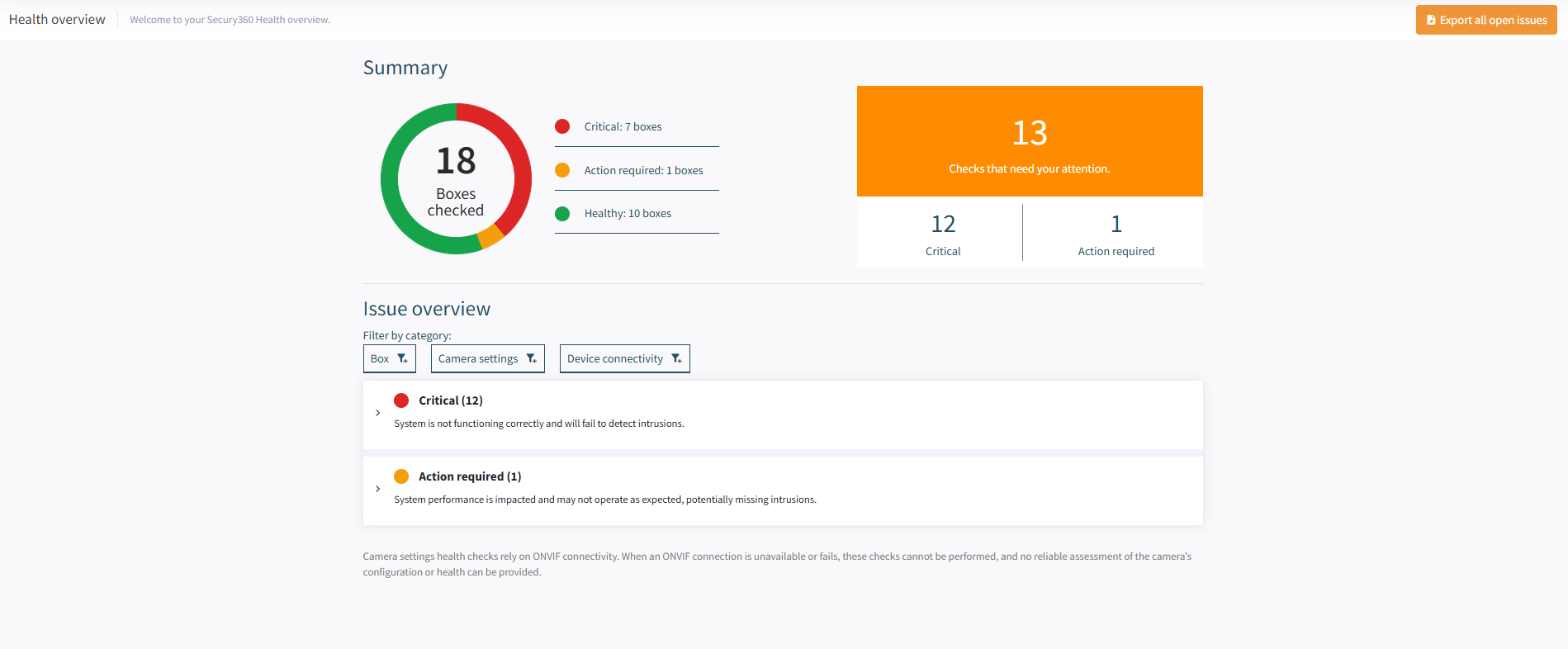
- Review the summary of checked boxes, healthy checks, and reported issues.
- Use the device or box-level view to identify the affected S360 Box and inspect its individual checks.
- Open issue details to review the reported condition and decide whether configuration, connectivity, or hardware follow-up is needed.
- Administrators can use Export all open issues to export the available issue overview for further analysis.
Filter issues and interpret severity
Use the category filters Box, Camera settings, and Device connectivity to narrow the issue overview. Expand a severity group to inspect affected checks.
- Critical: the system is not functioning correctly and may fail to detect intrusions.
- Action required: performance is affected; the system may not operate as expected and could miss intrusions.
ONVIF dependency: camera-settings health checks rely on ONVIF connectivity. If ONVIF is unavailable or the connection fails, these checks cannot run and no reliable assessment of the camera configuration or health can be provided.